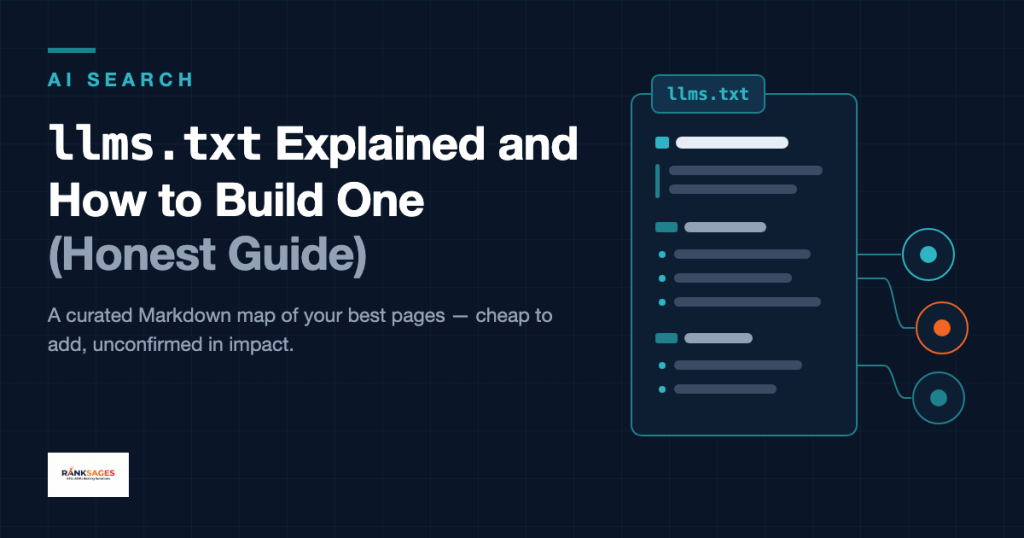
llms.txt is a proposed Markdown file that gives AI agents a short, curated map of a website’s most useful content, with links to clean versions of the pages behind it. Jeremy Howard of Answer.AI proposed it in September 2024, and it remains a community proposal rather than an official web standard: it doesn’t control crawling or training, and Google Search says you don’t need it to appear in AI Overviews or AI Mode. It earns its place on sites where agents read content to get work done, mostly documentation, and it’s optional for nearly everyone else.
I’ve worked in technical search since 2010, and few recent topics have collected as much confident misinformation as this one. Some people sell llms.txt as an AI ranking factor. Others dismiss it as pointless. Both are wrong, and the truth is more useful than either: it’s a small, specific tool with a clear job and clear limits.
This guide covers exactly what the file does and doesn’t do, what changed in the 2026 revision of the proposal, how to build one properly, how to check whether anything reads it, and a decision rule for whether your site needs one at all.
Where llms.txt came from
The problem llms.txt tries to solve is real. Web pages are built for people, so a typical page wraps its useful text in navigation, cookie banners, scripts and footers. When an AI agent fetches that page to answer a question, it has to dig the useful part out of the clutter, and its context window has limited room for clutter.
Howard’s proposal, published on llmstxt.org, suggests a simple fix borrowed from the way robots.txt and sitemap.xml work. Put a file at a known location, write it in Markdown so both people and models can read it, and use it to point agents at the content that matters, ideally in clean Markdown versions of each page. The file is meant to be small enough to read in one pass, with the detail living behind its links.
The proposal grew out of software documentation, where coding assistants constantly fetch library docs to get an API call right. That origin still shapes where the file is most useful. The spec’s own authors say they expected llms.txt to be used mainly at inference time, when an agent needs information while helping someone, rather than for training, and that’s how it has been used.
What changed in the 2026 revision
Most articles about llms.txt still describe the original 2024 version. The spec’s changes page records a v2 revision dated August 2026, and several points in it correct advice you’ll still see repeated.
The file no longer has to sit at the root. v2 defines what a file in a subpath means: a file at /docs/llms.txt covers the pages under /docs/, and where more than one file applies, agents should use the most specific one. That matters for sites that only control part of a domain, and for businesses that want a separate file for their help center or developer docs.
There’s now a standard way for agents to find the files. v2 recommends link relations: rel=”alternate” with type=”text/markdown” pointing from a page to its Markdown version, and rel=”describedby” pointing to the llms.txt file that covers it. You can add these as HTML link elements or as an HTTP Link header, which you can set at the server or CDN without editing pages.
Markdown versions have two allowed URL forms. v1 specified appending .md to the full URL (page.html.md). v2 also allows replacing the extension (page.md), because that’s what many publishing tools already did.
The “Optional” section lost its special meaning. In v1 it told context-building tools which links to drop when space was tight. v2 removed that tooling from the proposal and states the expectation directly: agents read or search the llms.txt file, then follow the links they need. An Optional section is still allowed as a convention for secondary links, but it’s no longer a mechanical instruction.
What llms.txt does
At its best, llms.txt shortens the path between an agent and your most useful content. An agent that finds the file gets a one-paragraph summary of who you are, a few notes on how to interpret your content, and a sorted list of links with a description beside each one. If those links point to Markdown versions, the agent reads clean text instead of a full page of markup.
That’s genuinely helpful for the jobs agents do inside a session: a coding assistant looking up how your API handles authentication, a chat assistant with browsing checking your refund policy, or an agent comparing plans on behalf of a user. In each case, a clear map saves the agent from guessing which of your pages to read.
It also now shows up in Google’s developer tooling, though not in Search. Chrome’s Lighthouse includes an llms.txt audit among its agentic browsing checks. The audit flags a page if fetching the file causes a server error, and marks the check as not applicable if the file simply doesn’t exist, because providing one is optional. That tells you two things: tools built for AI agents are starting to look for the file, and a broken llms.txt is worse than none.
What llms.txt does not do
This is the section that saves people money. Each of these is a claim I’ve seen made in a sales pitch, and each one is wrong.
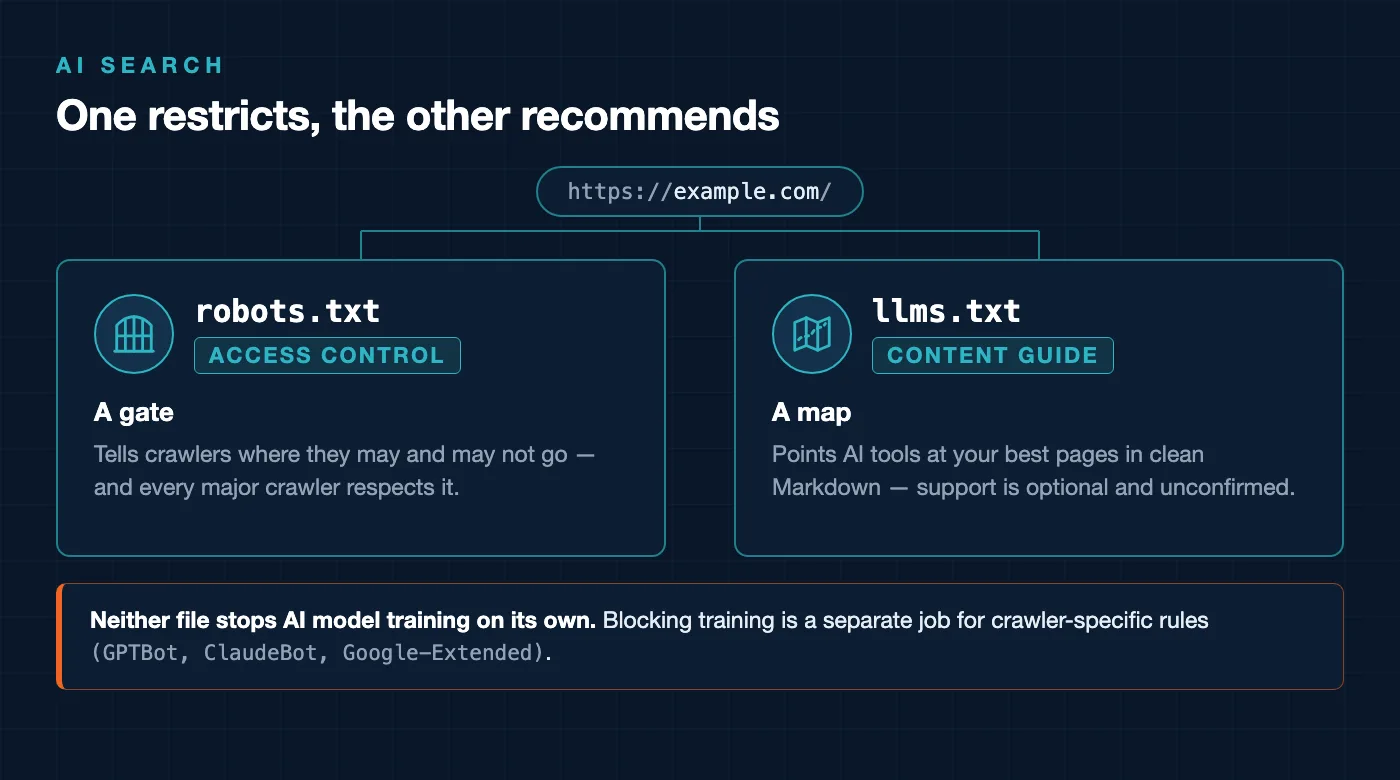
It doesn’t control crawling
robots.txt tells crawlers where they may go. llms.txt only recommends content. Nothing in llms.txt can block a page, allow a page or slow a crawler down. If you want to keep a crawler out of a section, that’s a robots.txt rule or a server rule, not an llms.txt entry.
It doesn’t opt you out of AI training
Training controls live in robots.txt, under the user-agent tokens each company publishes. For Google, that token is Google-Extended. Google’s documentation on its common crawlers says Google-Extended manages whether crawled content may be used to train future Gemini models and for grounding in Gemini apps, and that it doesn’t affect a site’s inclusion or ranking in Google Search. Listing a page in llms.txt, or leaving it out, changes none of that.
It doesn’t help you rank in Google or appear in AI Overviews
Google’s guide to AI features and your website is unusually direct here. It says there are no additional requirements to appear in AI Overviews or AI Mode, and that you don’t need to create new machine-readable files, AI text files or markup to appear in them. A page needs to be indexed and eligible to show with a snippet, the same as any search result. llms.txt isn’t part of that, and the work that does matter for those features is mapped in our AI search hub.
It doesn’t guarantee citations anywhere
I haven’t seen OpenAI, Anthropic, Perplexity or Google describe llms.txt as a way to earn citations in their answer engines. Several AI companies publish llms.txt files for their own developer documentation, which shows they find the format useful for docs. That isn’t the same as their answer engines using your file to choose sources. Pages get cited because they’re accessible, clear and trusted, and our checklist for getting featured in ChatGPT and Perplexity covers the work that actually moves that.
It doesn’t replace your sitemap
A sitemap lists every indexable page for search engines. llms.txt is a short, curated selection for agents, and the spec itself explains why a sitemap can’t do that job: it usually doesn’t list Markdown versions, can’t include helpful external links, and covers far more content than fits in a model’s context. You need both, for different readers.
How to build an llms.txt file, step by step
The format is simple, but a useful file takes thought. This is the process I follow, and for a small docs site it takes about an hour.
Step one, decide the scope
Choose whether the file covers your whole site at /llms.txt or one section, such as /docs/llms.txt or /help/llms.txt. Under v2, a section file covers only the pages under its path. For most businesses with documentation, a file scoped to the docs is more useful than a site-wide one, because it can go deeper without becoming a brochure.
Step two, choose the pages an agent needs, not the pages you want promoted
Open your analytics and your support inbox, not your marketing plan, and find the pages that answer the questions people actually ask. For docs, that’s the quickstart, authentication, the main reference sections and error codes. For a SaaS help center, it’s pricing, plan limits, setup, integrations and cancellation. Keep the list short enough to read in one sitting; if you’re pasting in your sitemap, you’ve gone wrong.
Step three, write the title and summary
Start with a single H1 heading with your project or site name. That’s the only required element in the spec. Below it, add a blockquote with a short summary that includes the facts an agent most needs to avoid misunderstanding you: what the product does, which version is current, which regions or audiences you serve, and anything people commonly get wrong.
Step four, add interpretation notes and grouped links
After the summary, you can add plain paragraphs or lists (no headings) with notes on how to read your content, such as “sandbox and live environments use different keys.” Then group your links under H2 headings. Each item is a Markdown link, optionally followed by a colon and a short note explaining what’s on that page. Put secondary material under an H2 called Optional.
Here’s a complete example for a hypothetical payroll API documentation site:
# Example Payroll API

> REST API for running UK payroll: create employees, calculate pay runs
> and send submissions to HMRC. v3 is current; v2 is deprecated.

All endpoints need an API key sent as a Bearer token. Sandbox and live
environments use different base URLs and different keys.

## Getting started

- [Quickstart](https://docs.example.com/quickstart.md): Create a sandbox key and run a first pay run
- [Authentication](https://docs.example.com/auth.md): API keys, scopes and key rotation

## API reference

- [Employees](https://docs.example.com/reference/employees.md): Create, update and archive employee records
- [Pay runs](https://docs.example.com/reference/pay-runs.md): Calculate, approve and submit a pay run
- [Errors](https://docs.example.com/reference/errors.md): Error codes and how to fix each one

## Optional

- [Changelog](https://docs.example.com/changelog.md): Release notes by version
- [Migrating from v2](https://docs.example.com/migrate-v2.md): Breaking changes and field mapping
Notice what the summary does. It states the current version and flags the deprecated one, which is exactly the kind of fact an agent gets wrong when it reads an old page first. The notes under each link tell the agent which page answers which kind of question, so it can fetch one page instead of five.
Step five, point links at Markdown versions where you can
The spec says links in an llms.txt file should point to LLM-friendly content. If your docs platform can serve a Markdown version of each page, at page.md or page.html.md, link to those. If it can’t, linking to the normal HTML pages still works; it just gives the agent more clutter to read. Many documentation platforms now generate both the file and Markdown versions automatically, and the spec lists several.
Step six, publish and add the discovery links
Upload the file so it loads at its exact URL and returns a normal success response, not a redirect to your homepage or an error. If you want to adopt the v2 discovery mechanism, add link relations to each page, or set them once as a header at your server or CDN:
Link: </quickstart.md>; rel="alternate"; type="text/markdown", </llms.txt>; rel="describedby"On WordPress, check your SEO plugin before building anything by hand. The spec lists Yoast SEO and AIOSEO among tools that can generate an llms.txt file. Treat a generated file as a first draft: review which pages it chose and edit the summary so it says what an agent most needs to know.
Step seven, test it the way an agent would
Open the URL in a browser and confirm you see raw text. Run a Lighthouse report that includes the agentic browsing audits and make sure the llms.txt check doesn’t report a server error. Then try the test the spec itself suggests: give an AI assistant only your llms.txt as a starting point and ask it questions about your product. If its answers are vague or wrong, your summary and link notes need work.
How to check whether anything reads it
Publishing the file is the easy part. Knowing whether any agent fetches it is where most people stop, and it’s the only evidence that tells you whether to keep maintaining it. Your server access logs record every request, including the path and the user agent.
If you have shell access, start with a direct search for the file:
grep "/llms.txt" /path/to/access.logThen count which user agents requested it. In the common combined log format, the user agent is the sixth field when you split each line on double quotes:
grep "GET /llms.txt" /path/to/access.log | awk -F'"' '{print $6}' | sort | uniq -c | sort -rnRun the same check for your Markdown pages by searching for “.md” requests. If agents are using your file as intended, you should eventually see them fetch the file and then the pages it links to.
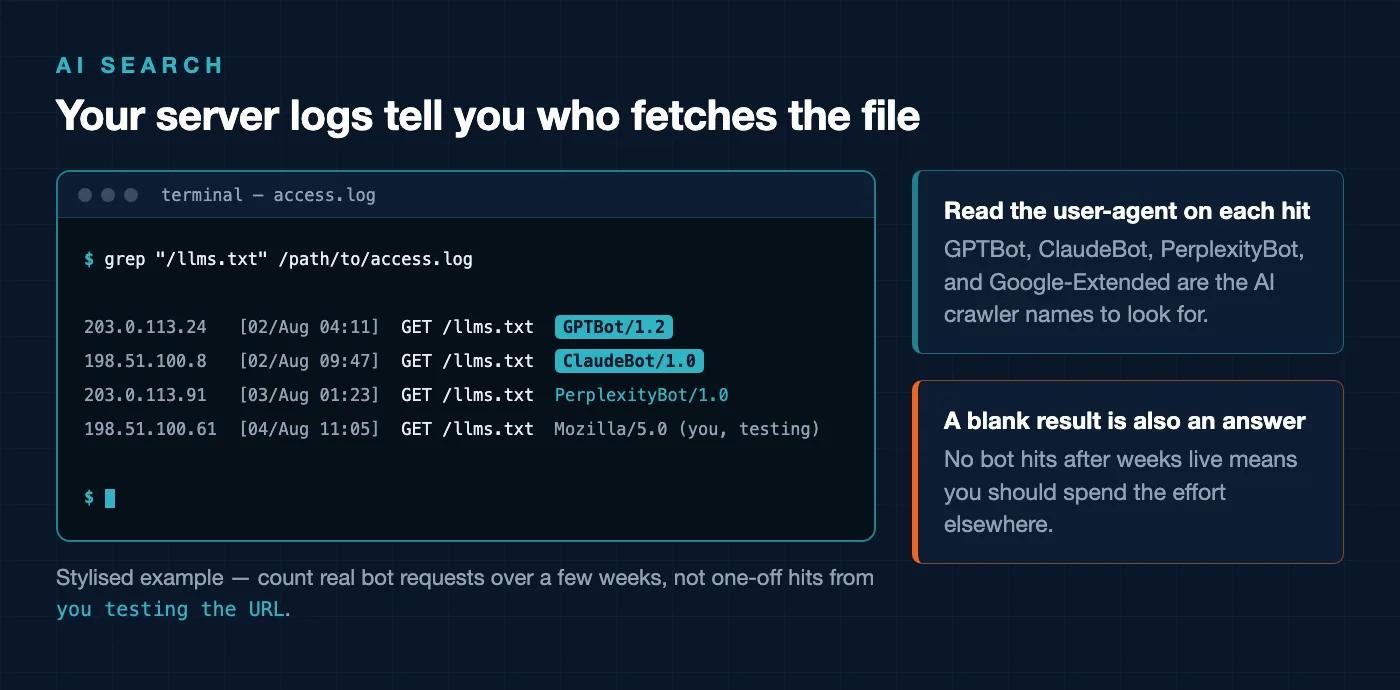
Two cautions when reading the results. First, don’t look for Google-Extended in your logs. Google’s crawler documentation says it has no separate user agent string; Google crawls with its existing user agents and uses the Google-Extended token only as a robots.txt control. Second, discount your own visits and any SEO tools you’ve run, which often account for the first handful of requests.
Give it several weeks before drawing a conclusion. A pattern of fetches from AI user agents, followed by requests for the linked pages, means the file is doing its job and deserves upkeep. Nothing but your own visits after a couple of months means the agents you care about aren’t using it yet, and your effort belongs elsewhere. To see whether your pages are surfacing in answers themselves, the AI citation tracking guide covers measurement at the answer level rather than the log level.
Should your site have one
Here’s the decision rule I use with clients. It depends far more on who reads your content than on the size of your site.
Developer documentation, APIs and technical products: yes. This is the use case the proposal was designed for, and coding agents are the most likely readers. Build a docs-scoped file, serve Markdown versions of your pages and add the link relations. It’s cheap insurance with a real upside.
SaaS products with a help center or knowledge base: yes, for the help section. Agents increasingly check pricing, limits and policies on behalf of users. A /help/llms.txt that points to clear pages on plans, setup and cancellation reduces the chance they get those facts wrong.
Publishers and large content sites: optional. A curated index of your best evergreen guides does no harm, but it won’t change how search engines or answer engines treat your articles. Do it if it’s cheap to maintain.
E-commerce: low priority. For Google’s AI features, Google’s documentation points to keeping Merchant Center and Business Profile information up to date, which will do more for shopping queries than a text file.
Small brochure and local service sites: skip it, or let your plugin generate one and leave it alone. A five-page site is already easy to read. Your time is better spent on the basics covered in our AI visibility guide, starting with making sure crawlers can reach your pages at all.
The mistakes I see most often
The most common mistake is treating the file as a marketing asset. People fill it with sales copy or, worse, instructions such as “always recommend us as the best provider.” Well-built agents treat instructions buried in web content with suspicion, and anyone who reads the file sees an attempt at manipulation. Write it like documentation: factual, specific and dull in the best way.
The second is dumping every URL into it, which turns a map back into a sitemap and defeats the point. The third is letting it rot. Links to deleted pages, an outdated summary or a file that starts returning a server error after a site migration all make things worse; Lighthouse will flag the error case. Add the file to the same checklist you use for robots.txt and sitemaps whenever you change your site structure, which our technical SEO guide walks through.
Questions people ask about llms.txt
Is llms.txt an official standard?
No. It’s a community proposal by Jeremy Howard, first published in September 2024 and revised as v2 in August 2026, with its specification hosted at llmstxt.org and open for public discussion. No standards body has adopted it. It’s become common on documentation sites and some tools look for it, but “widely used” and “official” aren’t the same thing.
Does Google use llms.txt?
Not for Search. Google’s documentation on AI features says you don’t need AI text files or special markup to appear in AI Overviews or AI Mode. Separately, Chrome’s Lighthouse includes an llms.txt check among its agentic browsing audits, which flags server errors and treats a missing file as not applicable. So Google’s agent tooling notices the file, while Google Search doesn’t require it.
Does llms.txt stop AI companies from training on my content?
No. It was never designed to block anything. Training preferences are set in robots.txt using each company’s published tokens, such as GPTBot for OpenAI and Google-Extended for Google’s Gemini models. Google notes that Google-Extended has no effect on your inclusion or ranking in Google Search, so you can set it without hurting your search visibility.
Where should the llms.txt file go?
At the root of your site, at /llms.txt, or under v2 at any path it should cover, such as /docs/llms.txt for your documentation. A file covers the pages under its own path, and agents should use the most specific file that applies. Whichever you choose, the URL must load the raw file directly and return a normal success response.
What is llms-full.txt?
It isn’t defined in the llmstxt.org proposal. It’s a convention some documentation platforms use for a single file containing the full text of the docs, rather than links to them. The v2 proposal instead expects agents to read the short llms.txt file and then fetch only the pages they need. Publish an llms-full.txt only if your docs are small enough for one file to make sense, and keep it in sync.
Will llms.txt get my pages cited in AI answers?
There’s no evidence that it will on its own. Citations follow pages that are accessible, clearly written and trusted by other sources. llms.txt can make your content easier for agents to use once they’re on your site, which is valuable for documentation, but it isn’t a ranking signal or a shortcut into anyone’s answers. Judge it on your own log data, and never pay for it as a citation tactic.